You can set this up with only 1 endpoint. You still create a Google APIs connection with no authentication, but since it is only used inside the async helper it does not count as an additional endpoint.
Prerequisites
- Shopify GraphQL connection
- Google APIs connection with no authentication (used by the async helper to fetch the JSONL results)
Step 1. Start the bulk job
- Create an export with an async helper.
- First request starts the bulk job.
mutation {
  bulkOperationRunQuery(
   query: """
    {
      products {
        edges {
          node {
            id
            title
          }
        }
      }
    }
    """
  ) {
    bulkOperation { id status }
    userErrors { field message }
  }
}


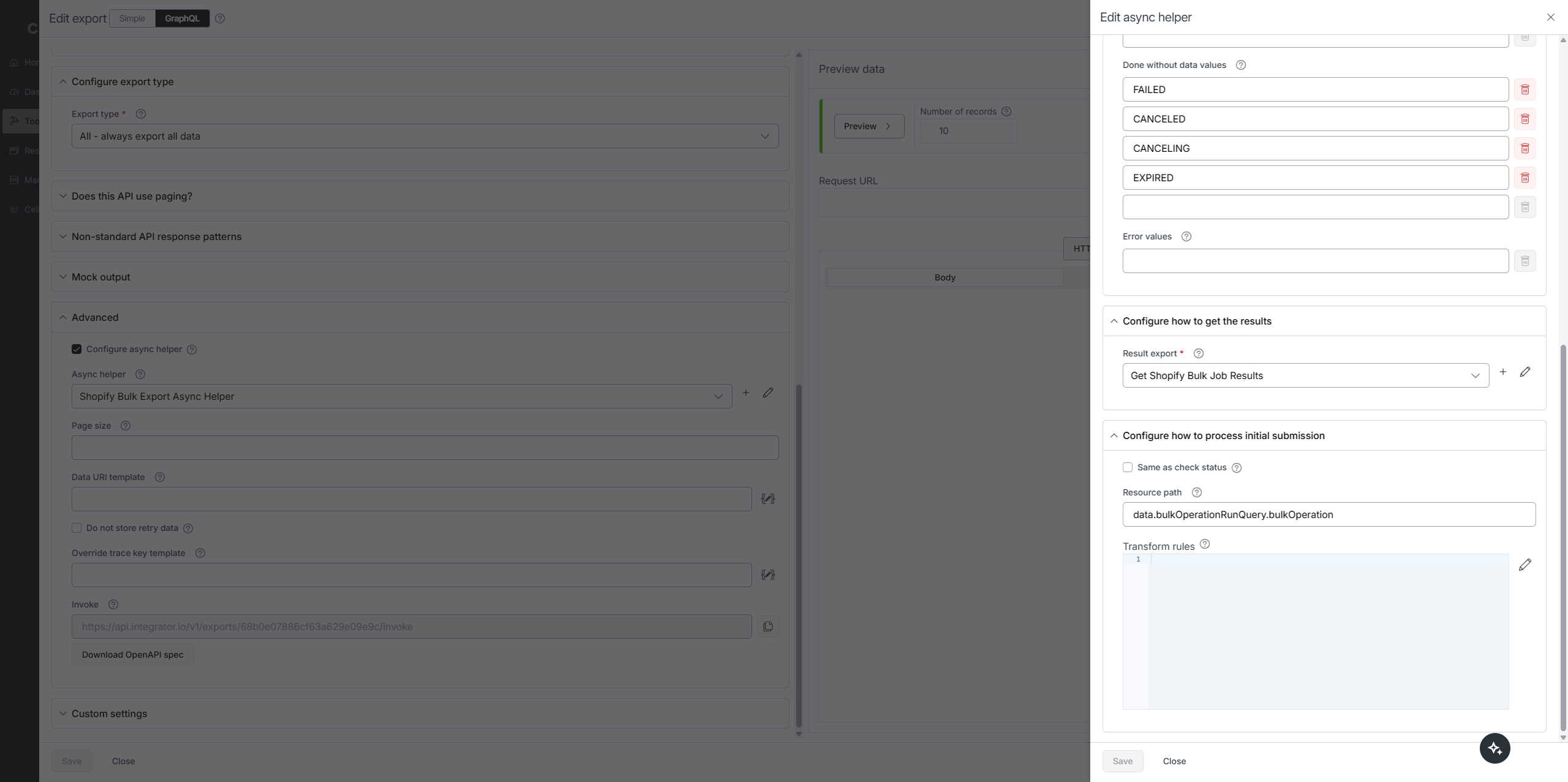
Step 2. Poll for completion
- The async helper polls until the job completes, then reads status and URLs.
{
  node(id: "{{data.id}}") {
    ... on BulkOperation {
      id
      status
      errorCode
      objectCount
      url
      partialDataUrl
      createdAt
    }
  }
}

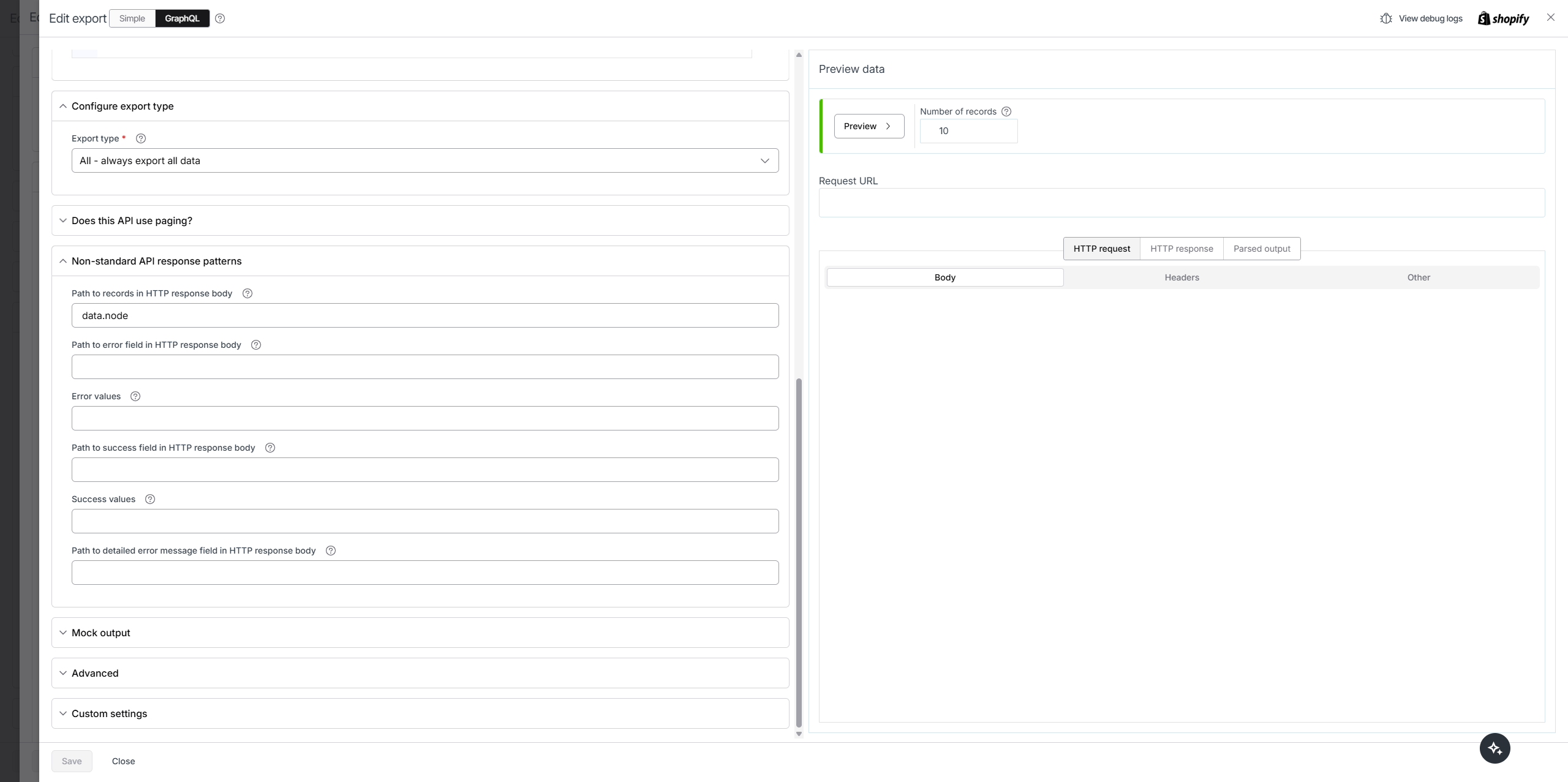
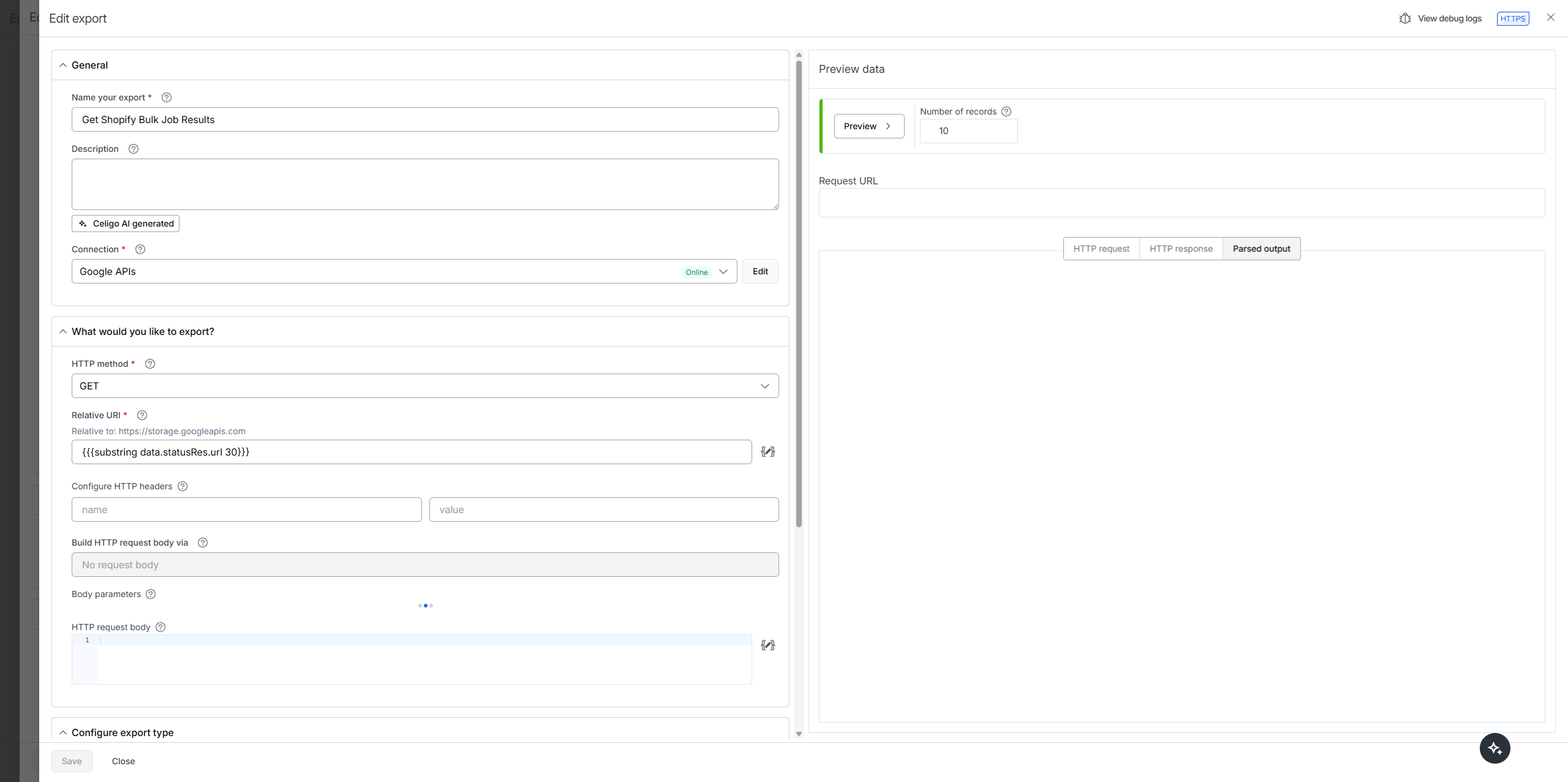
Step 3. Fetch the results with the Google APIs connection
- Use the returned
url. - If you need to trim the signed URL before use, here is the helper you showed:
{{{substring data.statusRes.url 30}}}


Step 4. Parse the JSONL into records
- Each line is one JSON object. Convert each line to an object before saving.
function preSavePage (options) {
  let output = [];
  for (let d of options.data) {
    output.push(JSON.parse(d.Column0));
  }
  return {
    data: output,
    errors: options.errors,
    abort: false,
    newErrorsAndRetryData: []
  }
}
Reference on parsing JSONL in Celigo
Flow ZIP
68b0dfaf09707f2d155abf41.zip (6.6 KB)
Video reference
How to attach the preSavePage script to the result export of the async helper:
