Hi experts,
I am trying to send a CSV flat file from SFTP to email as an attachment. Is there any way to send the file as an attachment in the email?
Thanks
Hi experts,
I am trying to send a CSV flat file from SFTP to email as an attachment. Is there any way to send the file as an attachment in the email?
Thanks
Hi @chiragkumardeo -
We had a similar support case come up a while back and unfortunately the conclusion was that the Outlook API would not support this.
Does anyone else in the community have creative solutions for this use case?
Thanks,
Kate
This is an old topic, but it’s what I landed on when searching for a solution, so I’ll update here with how I was able to resolve this.
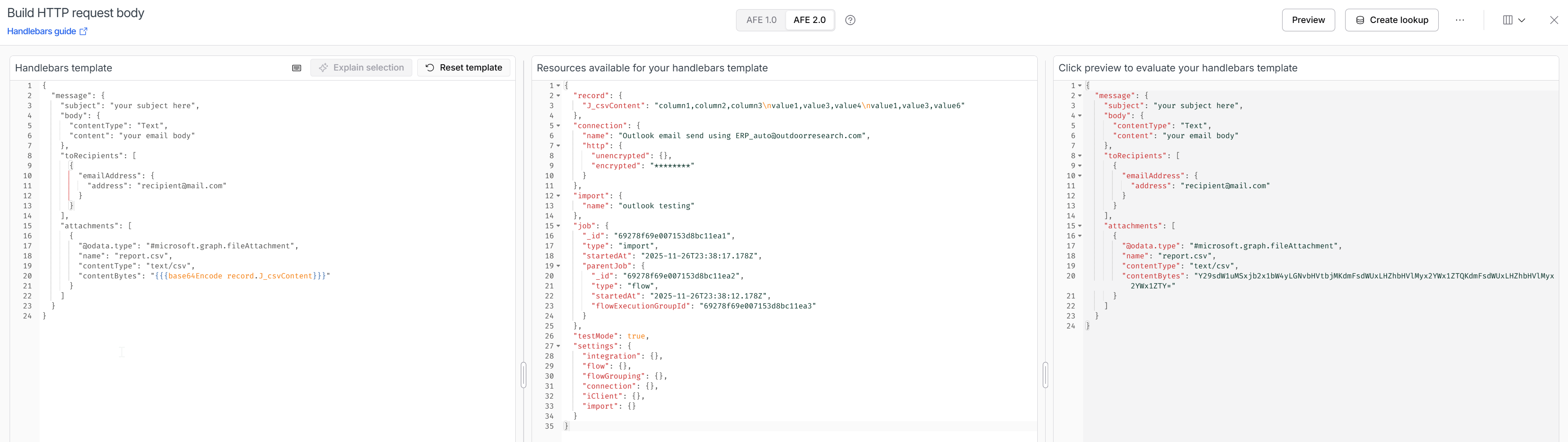
This can be accomplished by sending [attachments] in the API request body with the Outlook connector. For this, the attachment content will need to be base 64 encoded. Here are the basic steps:
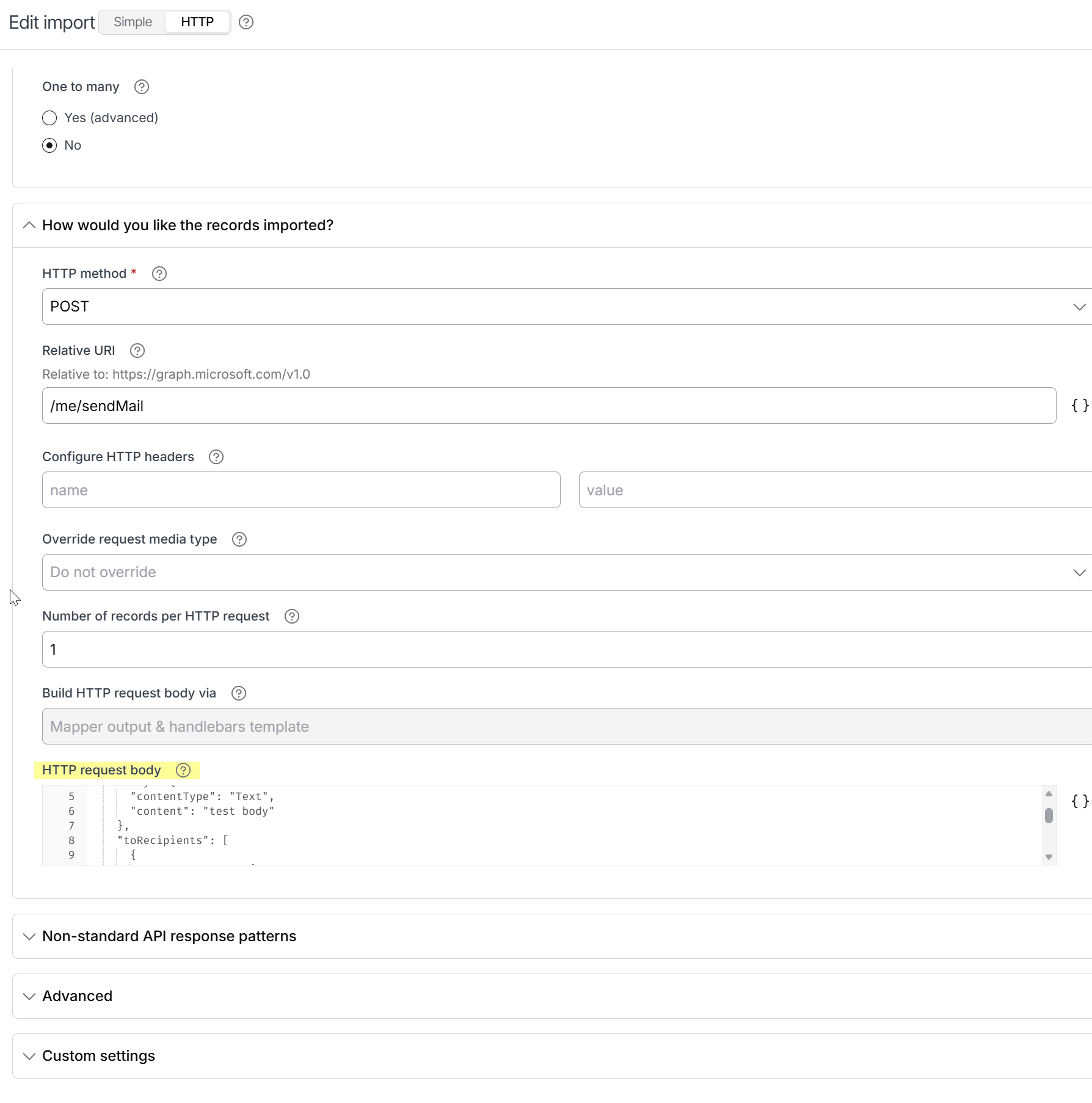
Create an Outlook flow step with step type: import records into destination application
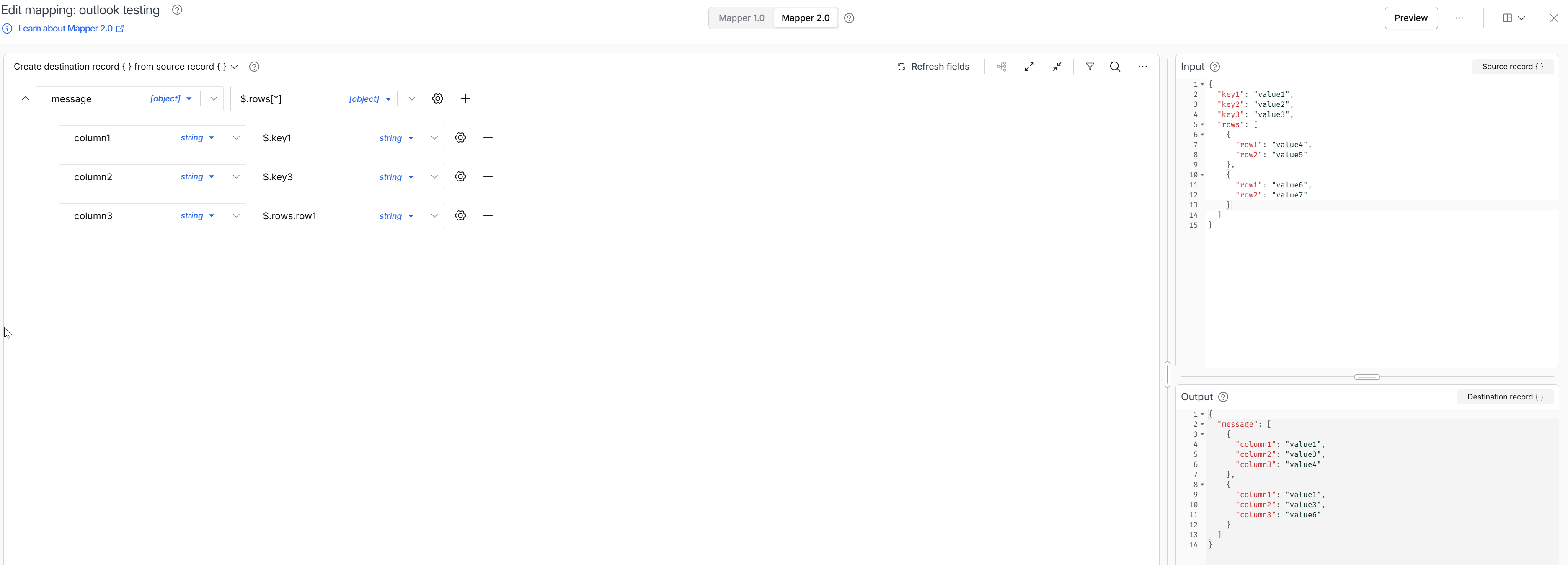
The desired content of the csv will need to be in our json data. There are many ways to accomplish this, but a simple method is to use the import step’s mapping. Note that despite the general setup of this mapping, it will not actually be what we use to create the email subject, body, or recipient.
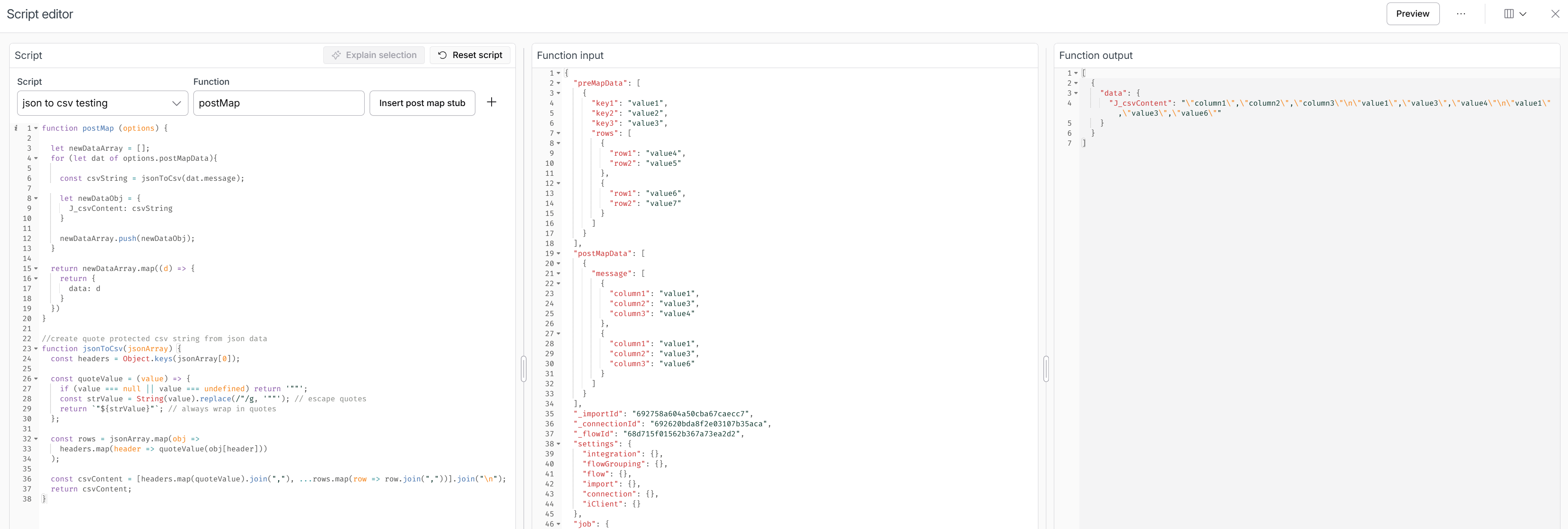
For the attachment functionality with Outlook’s Microsoft Graph API (other email providers may function differently) we want the attachment contents to be base64 encoded. We will use handlebars for the encoding, but we’d then want the desired csv contents to be in a single json value. A j hook can be used to accomplish this.
We used the regular Celigo mapping tool to create the CSV, we then override it by editing the HTTP request body. Note the handlebar helper used to encode the csv content.
I realize that what I’m doing here is pretty stupid in a number of ways, but as the saying goes; if it’s stupid and it works…
One potential pitfall here relevant to the original question is that the outlook email will trigger ‘per record’. If you’re starting with an FTP get that parses an existing CSV, each row of the CSV will be handled as a record. So you’d get an email per row of your original CSV, where each attachment would contain the full data. You could resolve this by simply creating a file definition that reads the ftp contents into a single field, rather than using the CSV parse. This would then contain the full FTP file contents as a single record, with a single field. This would make the script unnecessary, unless you needed to transform the original csv contents, which would make life difficult. Best resolution might then be to start with some other trigger for the flow so you only start with one record per run, and add the full csv contents to the single record from there. For my purposes though, I was creating a CSV based on the content of an EDI file, so one email per record was fine.
Appreciate the contribution and awesome to see some cool solutions! I have a few thoughts on how else you could do this and thoughts on other scenarios users may run into.
{{blob}} and we would then convert that blob reference to base64 at runtime. This won't work if you need to send multiple files in the same email, so in that case you'd have to first create a draft message then attach via multiple API calls, then ultimately send the message.batch_of_records.0.record.J_csvContent. You could also convert the data to a base64 encoded string by using the sjcl library (https://docs.celigo.com/hc/en-us/articles/10022695264539-Access-the-sjcl-JavaScript-library-in-scripts).{{base64Encode}} handlebar so that it's a block helper, meaning you could put any other handlebar between {{base64Encode}}{{each}} statements here to generate csv right here{{/base64Encode}}, then you could do what you did above, set "Number of records per HTTP request" to 10,000, set your export page size to 10,000, then you could do all of this with mapper and HTTP request body. The only downside here is you'd be limited by the 5 MB page size in this case, so if you wanted anything more than 5 MB in any case, you'd need the 2 flow route where you make a file in one flow then another flow grabs it.