# Shopify GraphQL bulk queries and mutations
**URL:** https://connective.celigo.com/t/shopify-graphql-bulk-queries-and-mutations/5362
**Category:** Integrator.io
**Tags:** shopify
**Created:** [August 26, 2025, 7:08pm UTC](https://connective.celigo.com/t/shopify-graphql-bulk-queries-and-mutations/5362 "2025-08-26T19:08:53Z")
**Posts on this page:** 4
**Page:** 1
### Author:  [@Calvin\_Lieu](https://connective.celigo.com/u/Calvin_Lieu)
#### Post date: [August 26, 2025, 7:08pm UTC](https://connective.celigo.com/t/shopify-graphql-bulk-queries-and-mutations/5362/1 "2025-08-26T19:08:53Z")
# Best Practices for **Bulk** GraphQL Operations in [Integrator.io](http://Integrator.io)
I'm looking for guidance on implementing **bulk** GraphQL queries and mutations efficiently in [integrator.io](http://integrator.io), specifically regarding endpoint usage and workflow optimization.
## Main Questions
**1. Bulk GraphQL Processing Best Practices**
What are the recommended approaches for handling **bulk** GraphQL queries and mutations in [integrator.io](http://integrator.io)?
**2. Universal Shopify Connection Capabilities**
Does the universal Shopify connection handle the complete **bulk** operation workflow automatically? Specifically:
- Submitting **bulk** queries/mutations
- Polling for completion status
- Retrieving final results
**3. Endpoint Usage Concerns**
I'm concerned about endpoint capacity given our current constraints. Here's my understanding, if we are required to use async helper as the standard setup:
### Current Workflow Requirements:
- **Bulk Query Results** : Results are returned as JSONL files via `https://storage.googleapis.com` URLs
- **Bulk Mutations** : Require uploading JSONL input files to AWS S3 via HTTP
### Endpoint Impact:
If the universal Shopify connection doesn't abstract these operations, I believe we'd need:
1. Primary Shopify connection endpoint
2. Universal HTTP connector for Google Cloud Storage (result retrieval)
3. Universal HTTP connector for AWS S3 (input file uploads for `bulkOperationRunMutation`)
**This would consume 3 endpoints total** , and we're already at maximum capacity.
## Specific Technical Questions:
- Are there alternative approaches that would reduce endpoint usage?
- **If abstraction isn't available** : Can we request additional endpoints at no additional cost to accommodate the **bulk** GraphQL workflow requirements?
Any insights or examples would be greatly appreciated!
---
### Author:  [@tylerlamparter](https://connective.celigo.com/u/tylerlamparter)
#### Post date: [August 29, 2025, 2:00am UTC](https://connective.celigo.com/t/shopify-graphql-bulk-queries-and-mutations/5362/2 "2025-08-29T02:00:08Z")
You can set this up with only 1 endpoint. You still create a Google APIs connection with no authentication, but since it is only used inside the async helper it does not count as an additional endpoint.
#### Prerequisites
- Shopify GraphQL connection
- Google APIs connection with no authentication (used by the async helper to fetch the JSONL results)
#### Step 1. Start the bulk job
- Create an export with an async helper.
- First request starts the bulk job.
```graphql
mutation {
bulkOperationRunQuery(
query: """
{
products {
edges {
node {
id
title
}
}
}
}
"""
) {
bulkOperation { id status }
userErrors { field message }
}
}
```


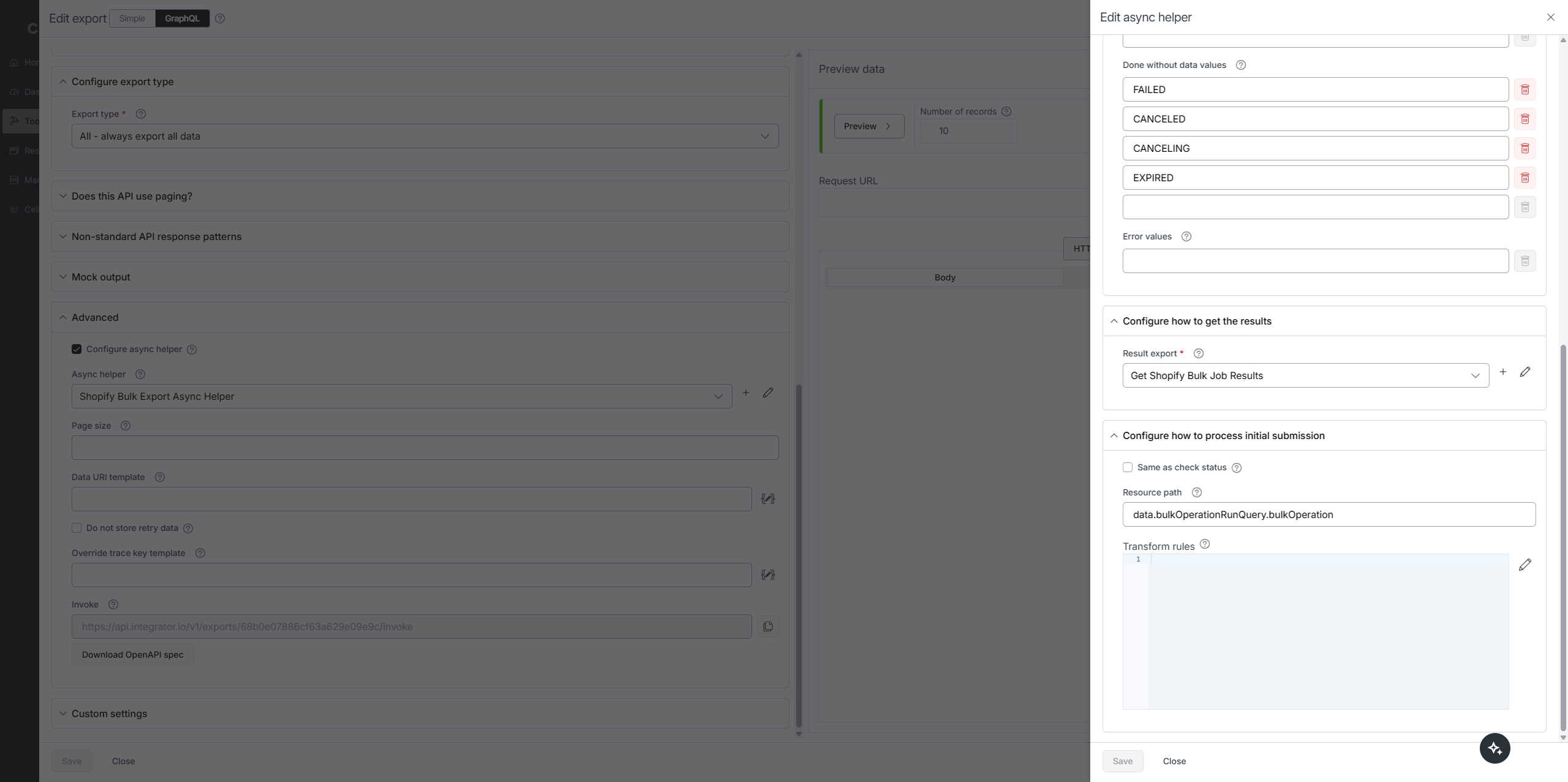
#### Step 2. Poll for completion
- The async helper polls until the job completes, then reads status and URLs.
```graphql
{
node(id: "{{data.id}}") {
... on BulkOperation {
id
status
errorCode
objectCount
url
partialDataUrl
createdAt
}
}
}
```

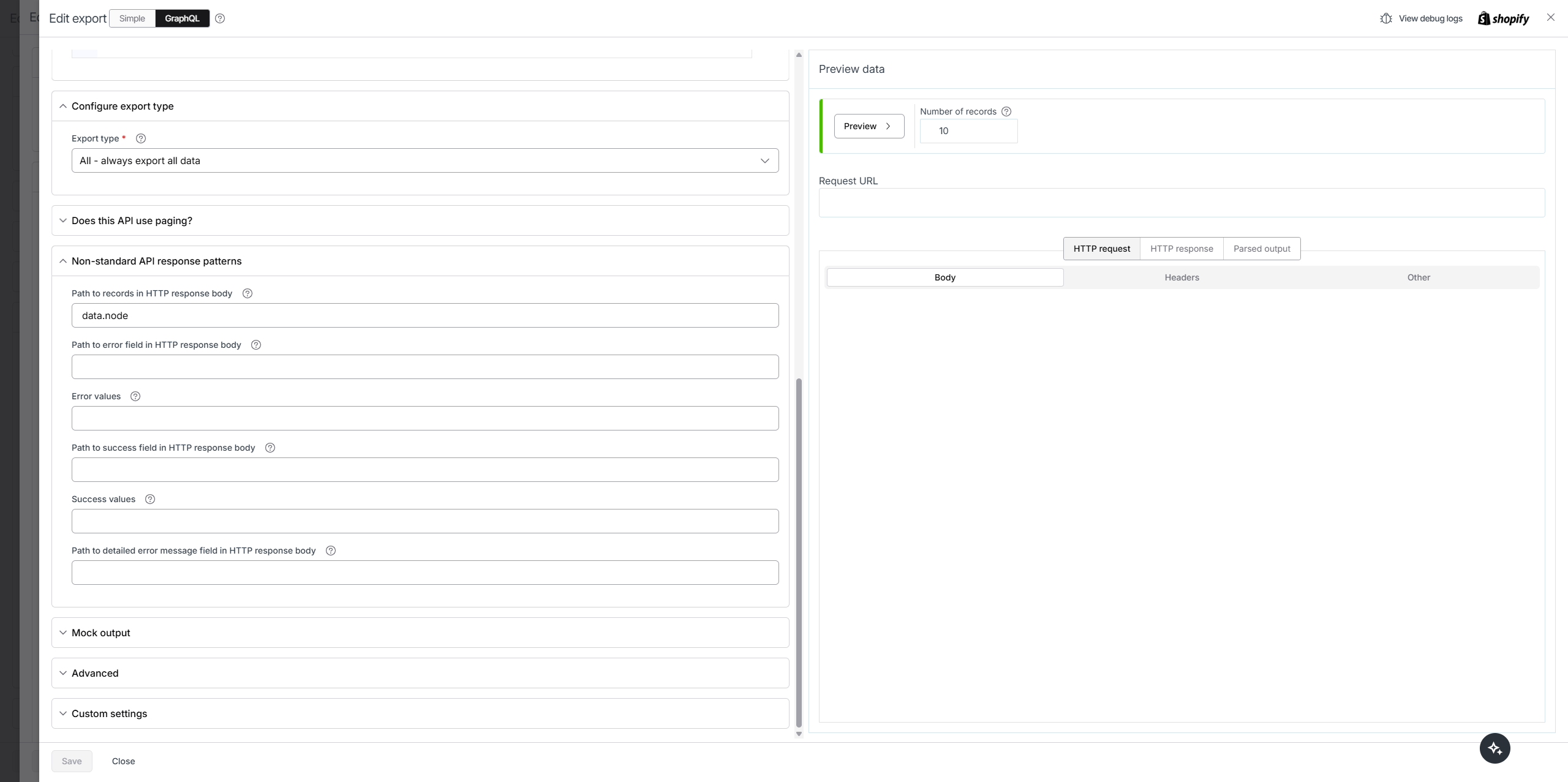
#### Step 3. Fetch the results with the Google APIs connection
- Use the returned `url`.
- If you need to trim the signed URL before use, here is the helper you showed:
```handlebars
{{{substring data.statusRes.url 30}}}
```
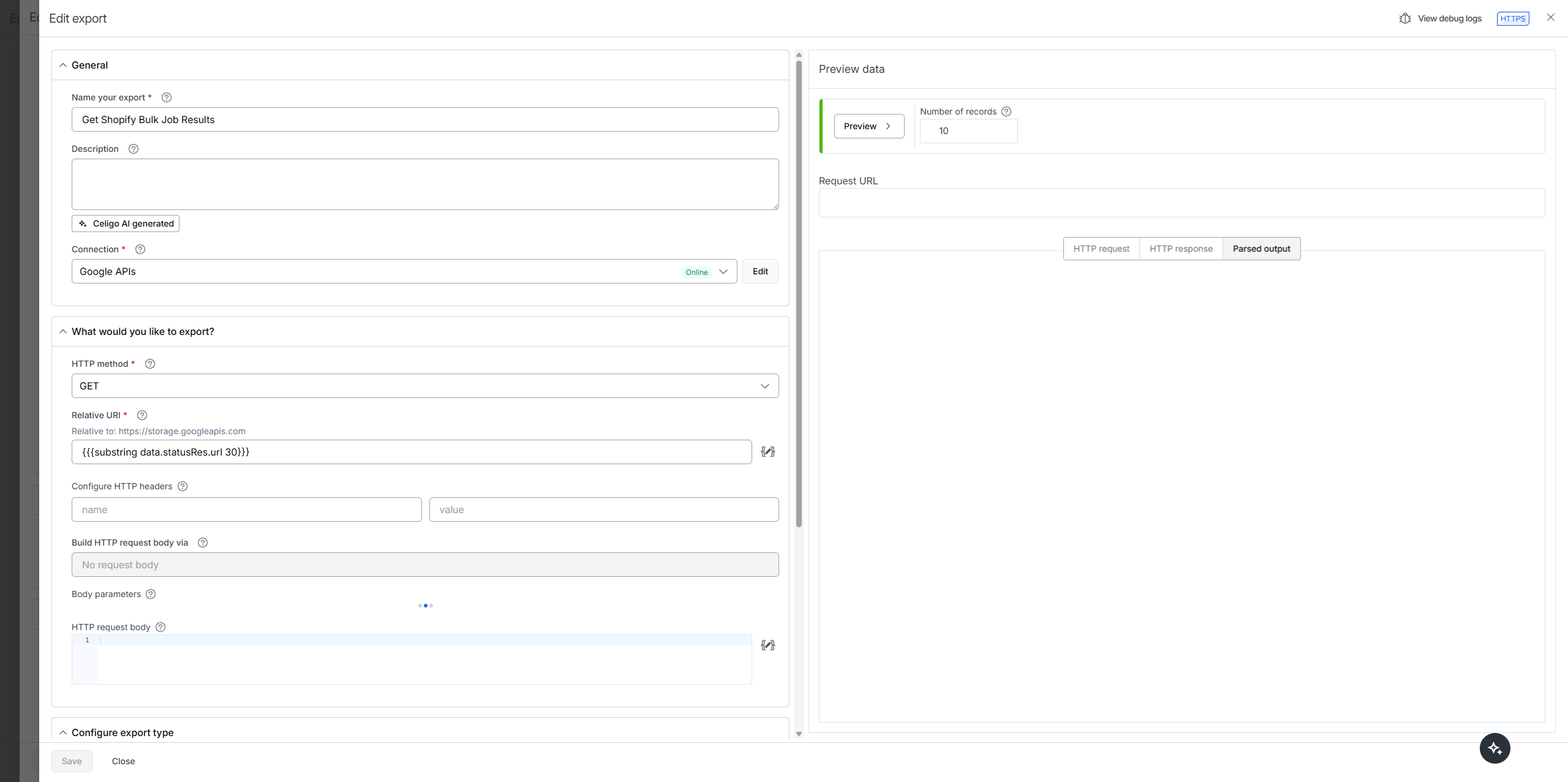


#### Step 4. Parse the JSONL into records
- Each line is one JSON object. Convert each line to an object before saving.
```javascript
function preSavePage (options) {
let output = [];
for (let d of options.data) {
output.push(JSON.parse(d.Column0));
}
return {
data: output,
errors: options.errors,
abort: false,
newErrorsAndRetryData: []
}
}
```
**Reference on parsing JSONL in Celigo**
> [@Parsing JSONL Files in Celigo](https://connective.celigo.com/t/parsing-jsonl-files-in-celigo/2882):
>
> Ever need to work with a JSONL file but don't see JSONL listed as a file type within Celigo file provider exports? No worries—here’s a simple workaround to parse JSONL files and make them usable in your flows: Steps to Parse JSONL Files: Import JSONL as a CSV: Treat the JSONL file as a CSV file by selecting the CSV (or any delimited text file) option in the file provider setup. Use a custom column delimiter (e.g., celigo\_dummy\_delimiter) that would never exist in the file itself. This ensures …
* * *
### Flow ZIP
[68b0dfaf09707f2d155abf41.zip](https://connective.celigo.com/uploads/short-url/cnoOFAuCp09I4aJnXJg6pAozZX1.zip) (6.6 KB)
### Video reference
How to attach the `preSavePage` script to the result export of the async helper:
[ ](https://www.youtube.com/watch?v=BVgIZrAEUMw)
---
### Author:  [@Calvin\_Lieu](https://connective.celigo.com/u/Calvin_Lieu)
#### Post date: [September 5, 2025, 7:10pm UTC](https://connective.celigo.com/t/shopify-graphql-bulk-queries-and-mutations/5362/3 "2025-09-05T19:10:53Z")
Thanks Tyler,
I have followed the instructions, but when I switch onto the Google connection, it still prompts me that I have reached my maximum endpoints. See screenshot.

---
### Author:  [@tylerlamparter](https://connective.celigo.com/u/tylerlamparter)
#### Post date: [September 5, 2025, 8:52pm UTC](https://connective.celigo.com/t/shopify-graphql-bulk-queries-and-mutations/5362/4 "2025-09-05T20:52:06Z")
Very odd. I'd request 1 additional endpoint from your account manager then.